HOW TO INTEGRATE IGNITE WITH LIGHT-O-RAMA
Perfectly Sync Holiday Lights and Fireworks
Are you interested in incorporating synchronized lights into your fireworks show or vice-versa? If yes, IGNITE has a formal integration with the Light-O-Rama system so you can perfectly time the systems to operate together.
You can use the following simple steps to integrate IGNITE and Light-O-Rama together. You can also learn more about the Light-O-Rama system and the integration with IGNITE from the Light-O-Rama website.

Step 1:
Design Your Fireworks Show
Design your fireworks show using the online IGNITE Show Designer or GLOW 3D from selected retailers to design your fireworks show and generate a 4-digit show code.

Step 2:
Design Your Light Show
Design your Light-O-Rama light show using the Show Time Sequencing Suite.
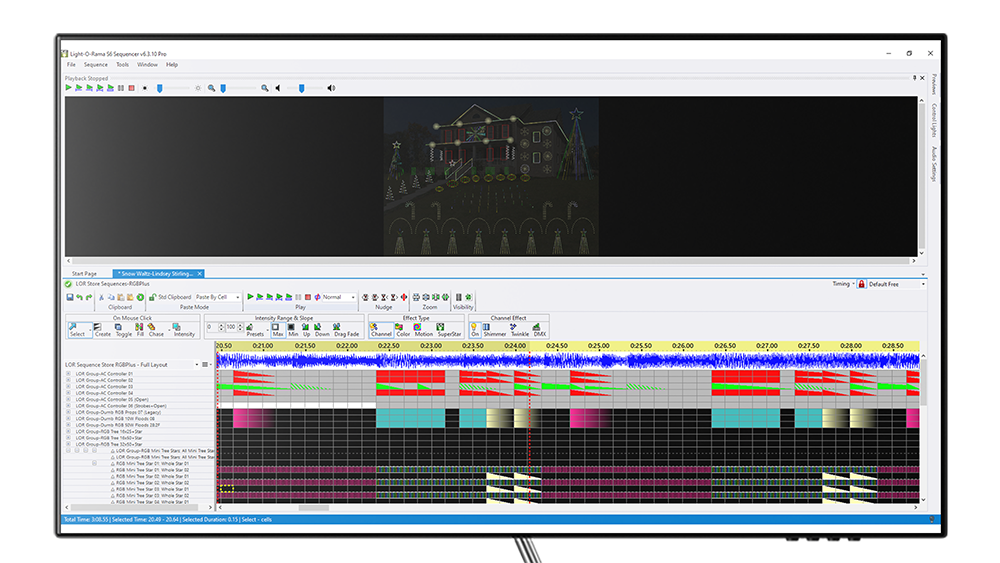
Step 3:
Add SMPTE to your audio using IGNITE Show Designer
From IGNITE Show Designer, goto the Audio Studio by clicking the MP3 icon from the lower left of IGNITE Show Designer. Then, select to add SMPTE to your currently selected soundtrack.
Step 4:
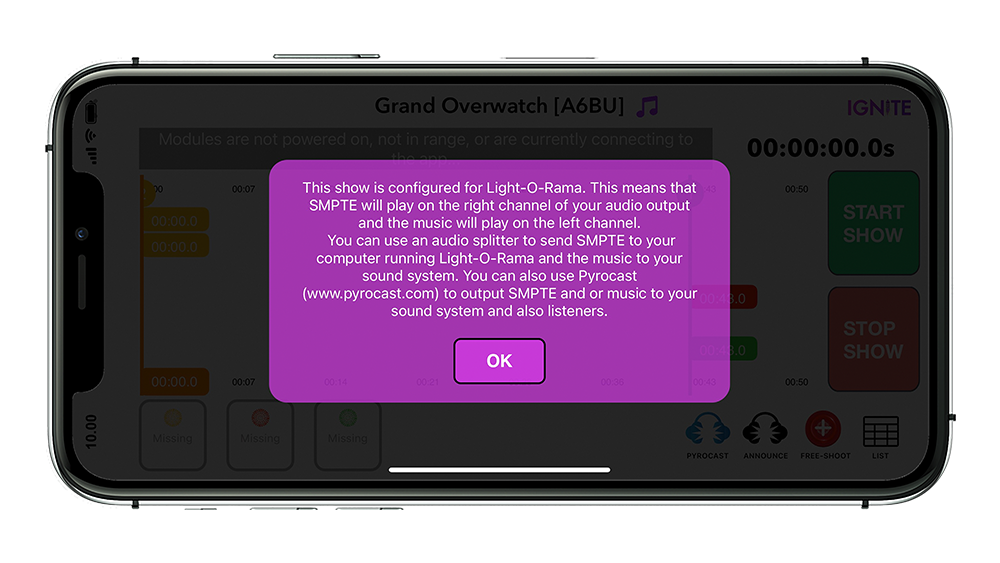
Split Your Mobile Audio Output
The IGNITE app will play music through the left channel and SMPTE timecode on the right channel. You will need to use an audio output splitter to connect the music to your sound system and SMPTE to your computer running Light-O-Rama.
For newer iPhones and Androids, you can use a type C to RCA audio splitter cable. For older iPhones, you can use a lightning cable to RCA audio splitter cable. You can then use varying RCA adapters such as a mono RCA to 3mm cables to connect to your computer and / or sound system.

Step 5:
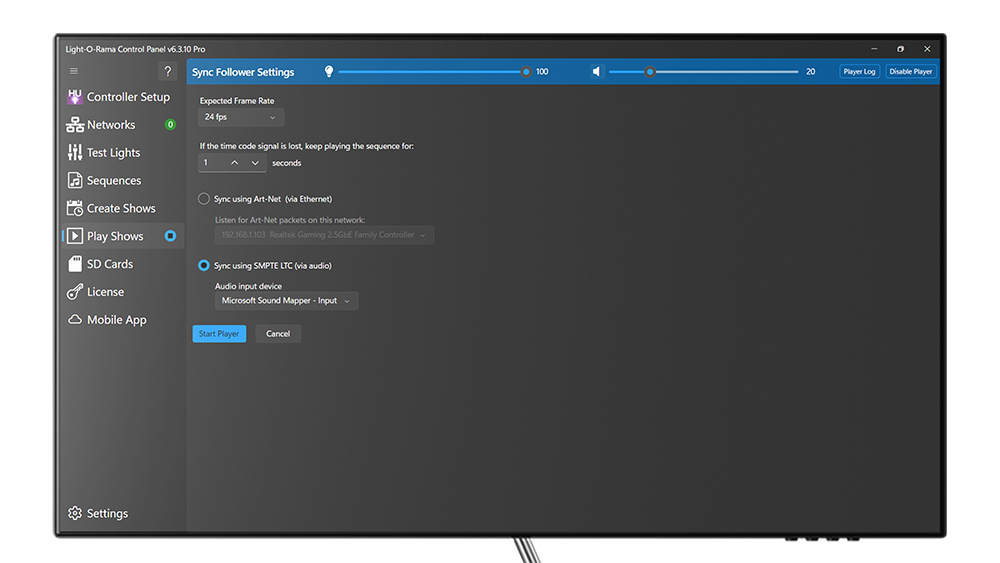
Configure Light-O-Rama for SMPTE
You need to configure your Light-O-Rama show to support receiving SMPTE using a follower mode. Please use the Light-O-Rama instructions for setting this up.
Step 6:
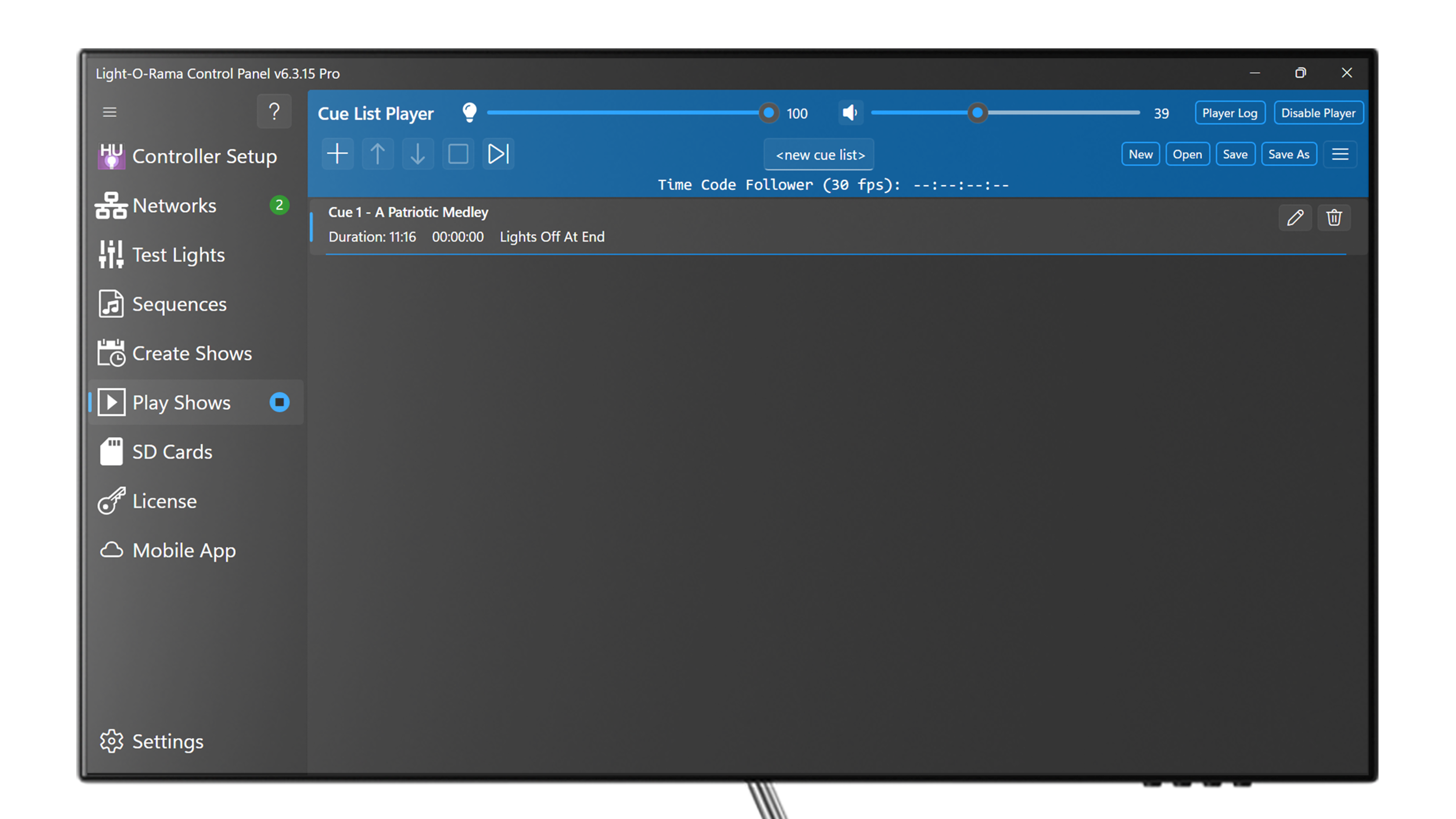
Start Your Light Show in Follower Mode
You can start your show using Light-O-Rama such that it will begin once the SMPTE feed is received.
Step 7:
Fire Your Fireworks Show with IGNITE
You can use IGNITE to start your show by going to the Shows section of the IGNITE app and selecting to fire your show. When the show fires, SMPTE will output from the right channel of your mobile device and into Light-O-Rama to start the show in perfect sync.
We recommend performing "dry runs" with IGNITE to simulate your show so you feel comfortable with the integration, audio, and module firing.
If you have any questions, please email us at help@ignitefiringsystems.com.
